Platform Guides
Everything you need to know about the WDC GameGrid control panel. Learn how to manage files, create and restore backups, use the live console, install mods, configure server settings, and handle server administration tasks like updates and wipes.
Core Features
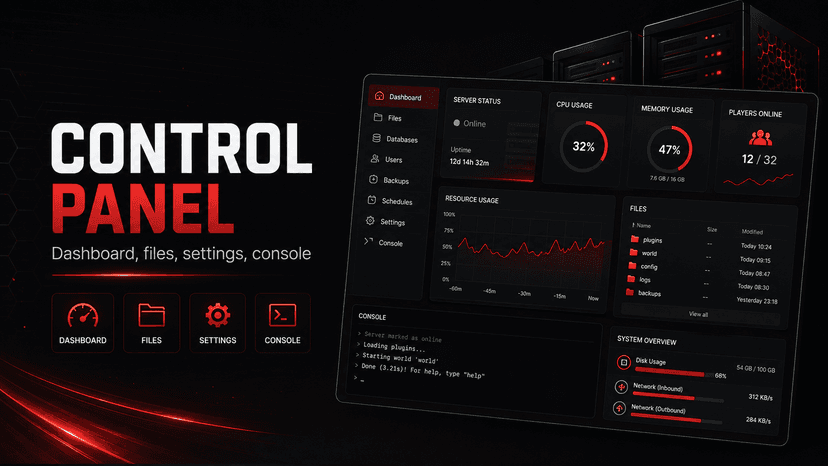
Easy Server Management with the Control Panel
A tour of the GameGrid control panel: which tabs your server has, and what each one does.
Metrics: Your Server's History
Where Metrics is, what its Overview, Health, Busiest hours, Travel and Places tabs show, the live status bar, All servers, how uptime and restart causes are counted, how ranges and time zones work, and how to read a chart as a table or download it.
Metrics: Player List and Player Profiles
Find any player who has played on your server, open their profile, rank your players by any figure, and see every session: the Players button, the Players and Sessions tabs, and who can see player IDs.
Metrics: Stats Seasons and Wiping Player Stats
How stats seasons work in Metrics: starting a new season to wipe player stats, what resets and what stays, viewing past seasons, and the banner after a world wipe.
Metrics and Your Players' Privacy
What Metrics records about the players on your server, how long it is kept, what your players can see, how the Player access card works, and how to honour a player's request to be forgotten with Forget player.
Metrics Leaderboards: Top Players in Discord
Set up leaderboards for your server (top players by playtime, kills, distance and more), post them to a Discord channel on a schedule, let players ask with /leaderboard, and decide who is never named.
Player Self-Service: /my and Personal API Tokens
Let players see their own statistics with /my in Discord or a personal API token, choose exactly which sections they see, and let every player hide from public leaderboards.
Metrics: Moderation, Possible Alternative Accounts and On Watch
Spot players who may be the same person under another account, see the countries your players connect from, put players On Watch, set alerts and keep notes. GameGrid never shows a player's address, and a possible alternative account is a hint, never proof.
Using the File Manager
Browse, upload, download, edit and manage your server files from the web panel.
Using the Live Console
Watch your server’s output as it happens, and send commands straight to the game.
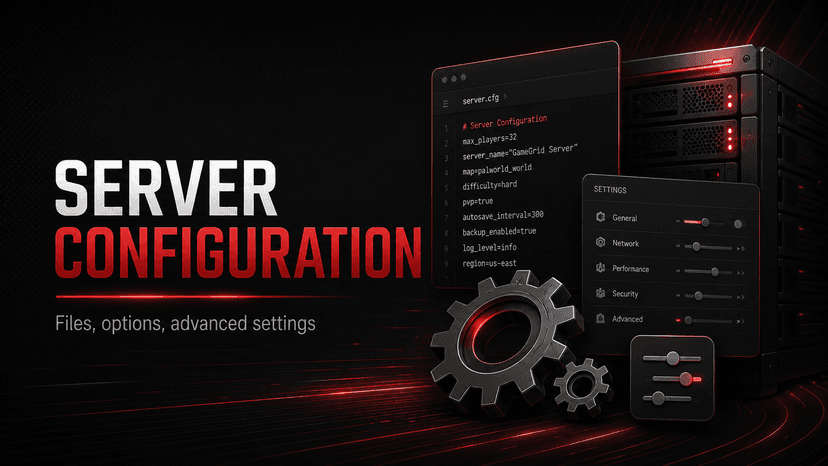
Configuring Server Settings
How to use the Settings tab to change game mode, difficulty, player limits, whitelists and more.
Backups and Mods
How Backups Work
Daily automatic backups, manual backups on demand, one 30 GB storage total per server for both, every backup removed after 30 days at most except the newest automatic one, and a restore that takes a safety copy first.
Installing and Managing Mods
Browse, install, uninstall, and manage mods from Steam Workshop, CurseForge, Nexus Mods, Thunderstore, Modrinth, and Hangar.
Vault
Your Vault: Saved Worlds That Stay With Your Account
The Vault keeps whole saved game worlds with your account, not with a server: 10 GB free, each save kept for 12 months. Where it is, who can use it, and what it holds.
Saving a Server to Your Vault
Three ways to put a world in your Vault: Save to Vault from a running or stopped server, Keep in Vault from a backup, and the question when you delete a server. What each does, and what stops a save.
Loading a Vault Save onto a Server
Put a saved world back on a server of the same game: which parts you can load, what is not restored, the safety backup taken first and how to undo a load, and starting a new server from a Vault save.
Vault Space, Limits and Expiry
10 GB of Vault space per account, up to 2 GB of game files per save, how big a save of each game usually is, and what happens 12 months after a save was made.
Switching Games and Keeping Your World
Change the game in a plan slot without losing the old world: save it to your Vault, delete the server, create the new game's server in the freed slot, and load the save back whenever you return to that game, within 12 months.
Administration
Customer API

Customer API Reference
The GameGrid Customer API - authentication, errors, rate limits, pagination, idempotency and streaming, plus every endpoint group and what it covers.
API Key Management
How to create, scope, rotate and revoke API keys safely. One key per job, least privilege, and exactly what to do when a key leaks.
Webhook Configuration
Receive server lifecycle, command, move, daily summary and player moderation events as they happen instead of polling. Register a webhook, verify the signature correctly, and understand exactly which eleven events exist.
API Scopes and Permissions
The full scope vocabulary for the Customer API - all 59 scopes, what each one grants, and how to choose least-privilege scopes for each key.
Command Manager
Command Manager Guide
Schedule console commands to run on their own - hourly saves, restart sequences with warnings, an item for everyone online - with every setting on the form explained.
Command Manager Variables
The chips under every text box insert a placeholder, not a value. What each one becomes, when it is filled in, which two need editing afterwards, and why {playerNames} is not the Send to every online player checkbox.
Command Manager API
Schedule recurring console commands from your own code - list, create, edit, toggle, run and audit schedules, with every field, limit and status a schedule can carry.
Scheduling Commands from Discord
Use /command-schedule to create, list, run and audit scheduled game-server commands from Discord, with copy-paste examples for every game.
Discord Bot
Discord Bot Setup Guide
Invite the GameGrid Discord Bot, create a key with the right scopes, link it, decide which Discord roles get which level of control, and point commands at the right server.
Discord Bot Commands Reference
Every GameGrid Discord Bot command - 52 top-level commands, 173 invocable paths once subcommands are counted - with its options, the ability it needs, the API scope behind it, and who sees the reply.
Discord Bot Permissions & Security
Give your own Discord roles specific bot abilities, one at a time. Every ability, the presets, who can configure the bot, and why your API key is the ceiling no Discord role can exceed.
Setting up Discord roles
Setup for roles, start to finish: pick a role, give it a preset, adjust one ability at a time. The 55 named abilities, the five presets, why several roles add up instead of overriding each other, and why your API key is the ceiling.
Server Economy
Server Economy Overview
A per-server currency with wallets, a shop your players buy from in Discord, and automatic in-game delivery. What it is, which games have it, and what it needs to work.
Setting Up Your Server Economy
From nothing to a working shop: invite the bot, scan your game's items, price a few, name your currency, and make the first purchase land in game.
The Item Catalog and Shop
Scanning your game's real item list, pricing items, taking them off sale, and moving the whole shop through a spreadsheet.
Linking Discord Accounts to In-Game Players
How /link and !link connect a Discord account to a character, what each game needs before it can see the code, and what to do when nothing happens.
Wallets, Awards and Auto-Earn
Where a balance comes from, how to hand currency out, and exactly which auto-earn rewards pay on which game.
Purchases, Delivery and Refunds
What happens between /buy and the item appearing in game, what each delivery state means, how long a stuck purchase is retried, and what a refund does and does not do.
Sharing One Economy Across Servers
Link two or more of your servers so players keep one balance across all of them — what is shared, what stays per game, and where the money goes when a server leaves.
Economy and Chat Bridge Discord Commands
Every economy, kit and chat-bridge slash command: what each one does, what access it needs, and who can see the reply.
Per-game economy support: what works on your game
One table for the whole economy: which games can link, deliver items, mirror chat, and pay each auto-earn reward — and what to use instead where they cannot.
The Kit Manager: kits players claim with /kits
Bundle 5 to 10 items from your server's scanned catalog into a kit, price it or leave it free, and cap how often each player may take it. Players claim it in Discord with /kits. Includes what happens to their money when a delivery fails.
Chat Bridge and Live Map
Discord Chat Bridge
Mirror in-game chat into a Discord channel and send that channel's messages back into the game. Setup, what each game can do, and the limits.
The Live Map: What Each Game Shows
Every game's map is built differently and shows different things. Where to find yours, what it can show, and what it honestly cannot.
Still Need Help?
If you could not find what you were looking for, our support team is here to help.
Open a Support Ticket